Help To Join
How to join your first Be Water event
A free ticket, a link, and a password — that's all it takes. Follow the steps below from reserving your seat to watching the film with the live chat.
Get Your Ticket- 1
Get your ticket
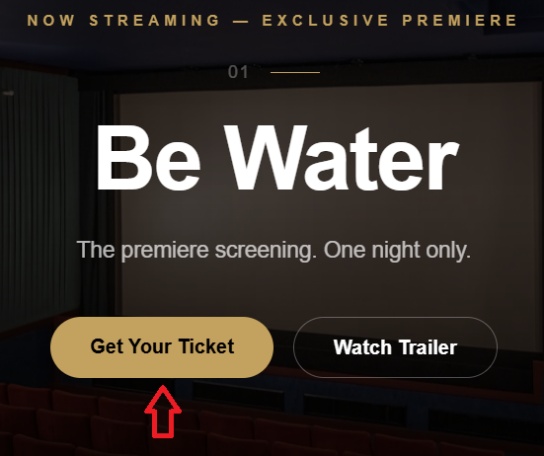
On the homepage, click the ‘Get Your Ticket’ button.
- 2
Reserve your ticket
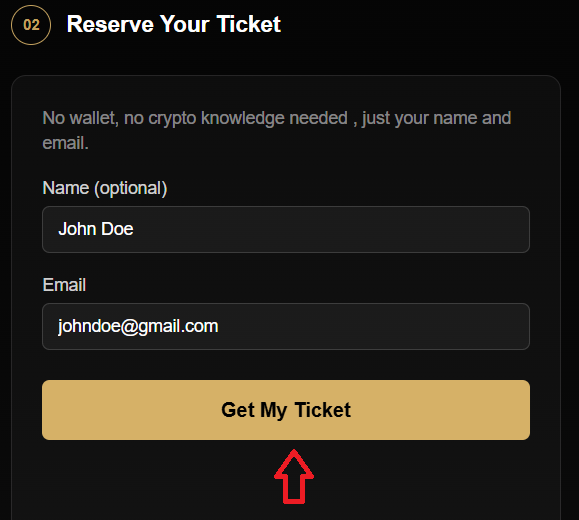
No wallet, no crypto knowledge needed — just your name and email. Enter your email (name is optional), then click ‘Get My Ticket’.
- 3
Check your inbox
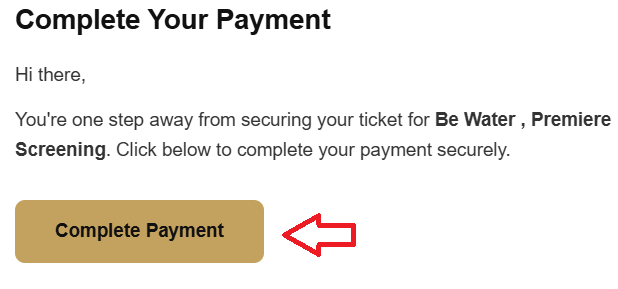
You'll receive an email from Be Water. Open it and click ‘Complete Payment’.
- 4
Press Pay — it's free
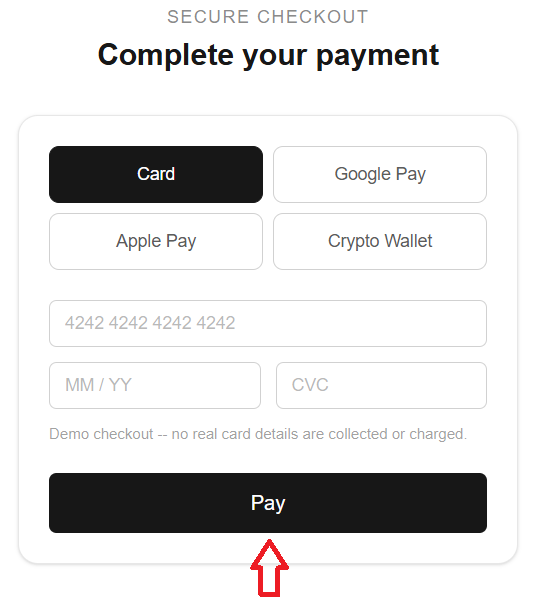
This is a free event. Don't enter any payment details — simply click ‘Pay’.
- 5
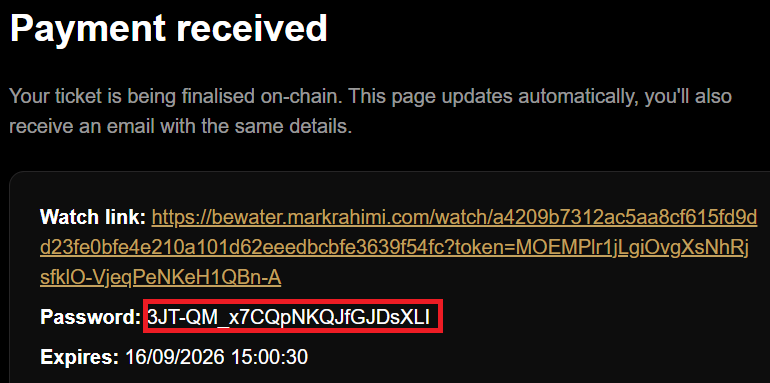
Copy your password
Copy the password shown on the page, then click the watch link. You'll also get the password and watch link by email to use on the event day.
- 6
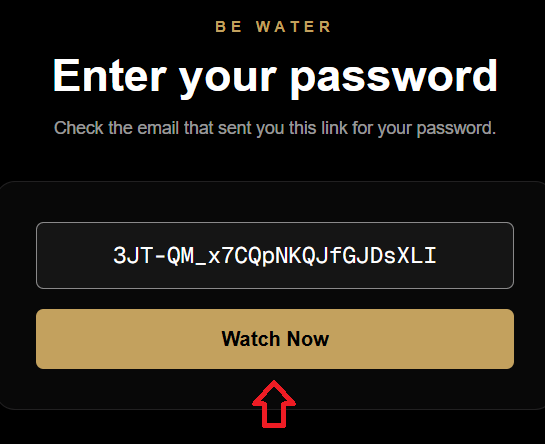
On the event day: unlock the video
Click the link to the event, paste your password, then click ‘Watch Now’.
- 7
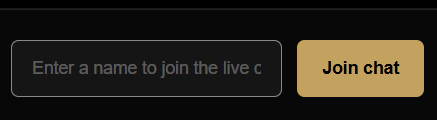
Join the live chat
Enter your name (or an alias) and click ‘Join chat’.
- 8
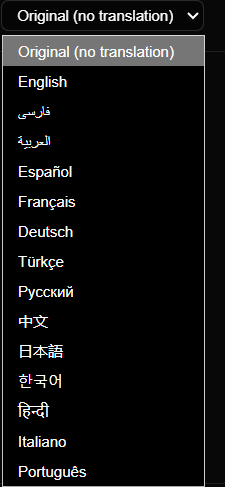
Pick your language
Select your preferred language from the dropdown for a better experience.
- 9
Watch the film
Click Play to start the film. You can adjust the volume and switch to full-screen mode.

Companion Mode
The platform supports using several devices at once: watch the movie on one screen (TV, browser, or laptop) while joining the chatroom from your mobile phone. Enjoy the film, and feel free to join our live chat!
Explore the Immersive Rooms
The online platform also gives you access to three immersive rooms.
Room One
An immersive virtual gallery featuring a "Woman, Life, Freedom" monument.
Room Two
A virtual cinema for on-demand screening of the animation "For Freedom."
Room Three
An immersive discussion space connecting in-house and online audiences for two dialogue sessions.